

freq_config) and can be adjusted per enrollment.
Cadence configuration (freq_config)
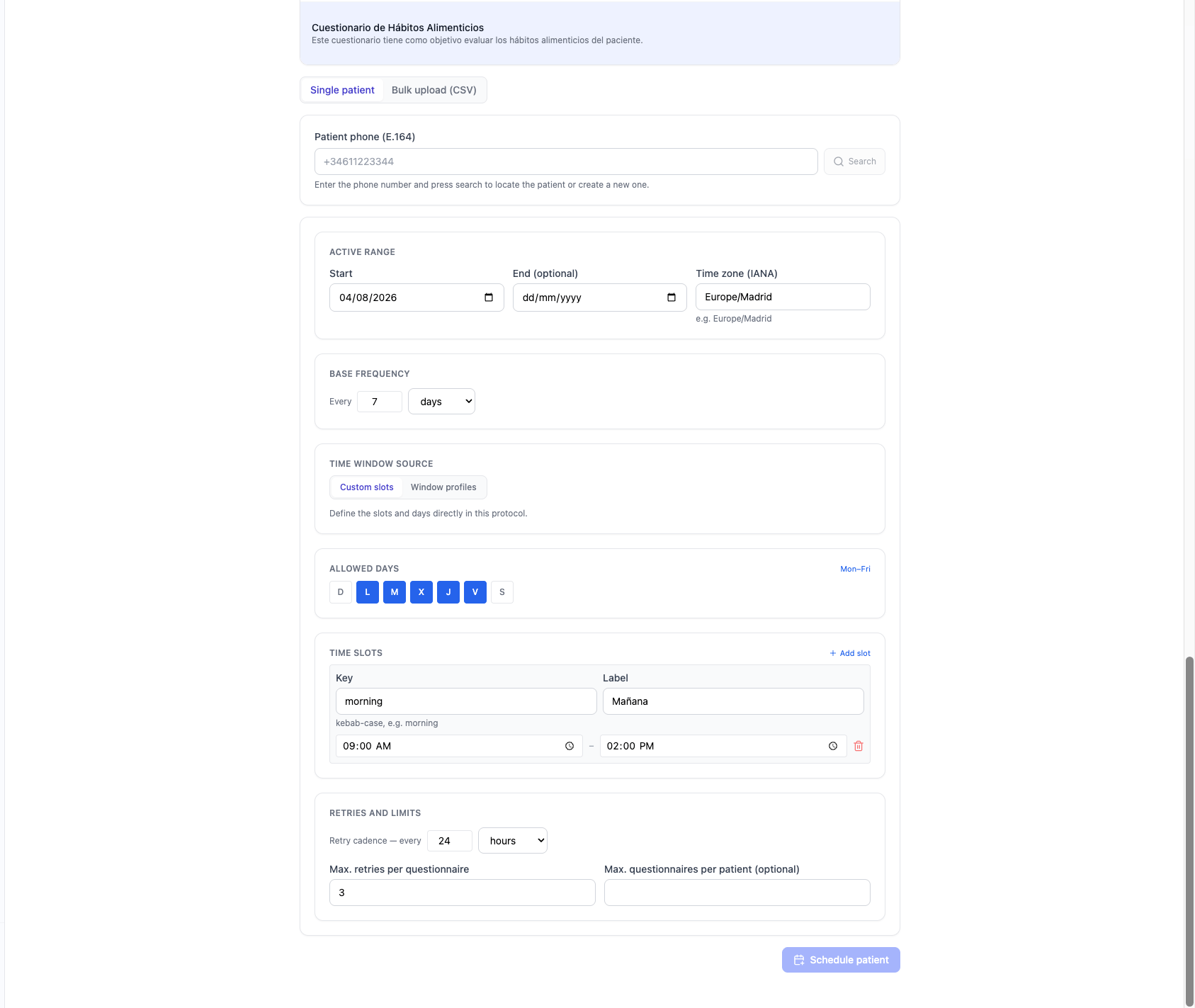
Retries respect the allowed slots and days and stop past the end date. When a questionnaire closes, a score band can automatically adjust the next call’s cadence (
freq_override).
Per-enrollment override
When enrolling a patient you can send a partial configuration that overlays the active version’s (for example, a different cadence or time zone). Only the fields you send are overridden; the rest follows the active version, including when a new one is activated. See Follow-up (API).Window profiles
Reusable time slots at the organization level: a name, a weekday mask, and a list of slots. Editing a profile can propagate the change to the protocols and enrollments that use it.Holiday calendar
Days (or ranges) when no calls are made. They can apply to the whole organization or be scoped to specific protocols. Each organization evaluates “today” in its own time zone; calls that fall on a closed day are skipped.Bulk upload
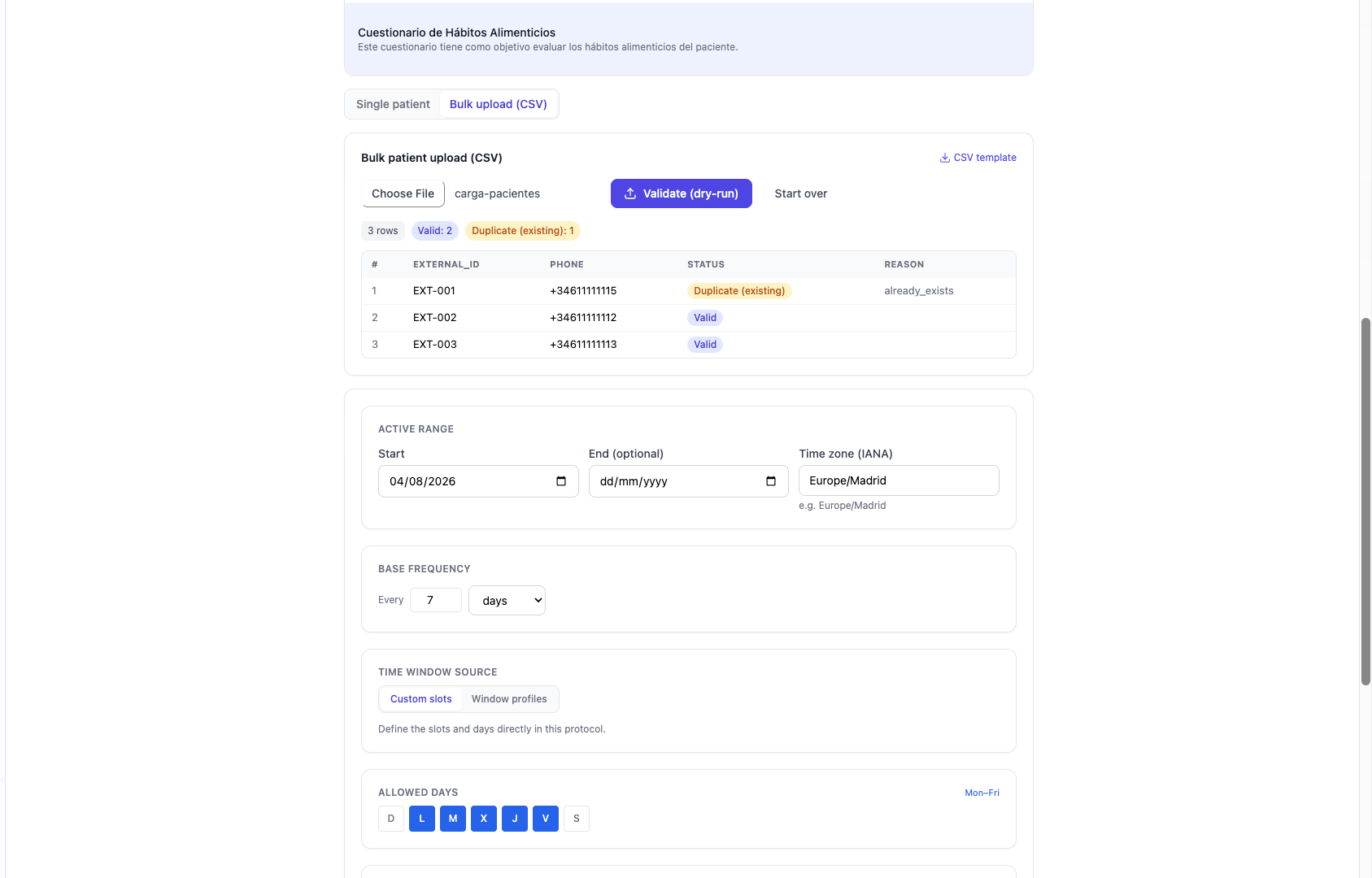
- Required columns:
external_id,phone,language. - Optional:
first_name,last_name,preferred_timezone,started_at. - Two-phase process: dry run (marks each row as valid, duplicate, or error) and then commit.