> ## Documentation Index
> Fetch the complete documentation index at: https://omniloy.mintlify.site/llms.txt
> Use this file to discover all available pages before exploring further.
# Calls
> Calls control panel, organized by questionnaire/protocol
The calls panel is the operational view for reviewing how calls are going. In OlivIA it is **not split into inbound and outbound**: it is organized **by questionnaire (protocol)**.
## Choose the protocol
First you choose the protocol whose calls you want to review.
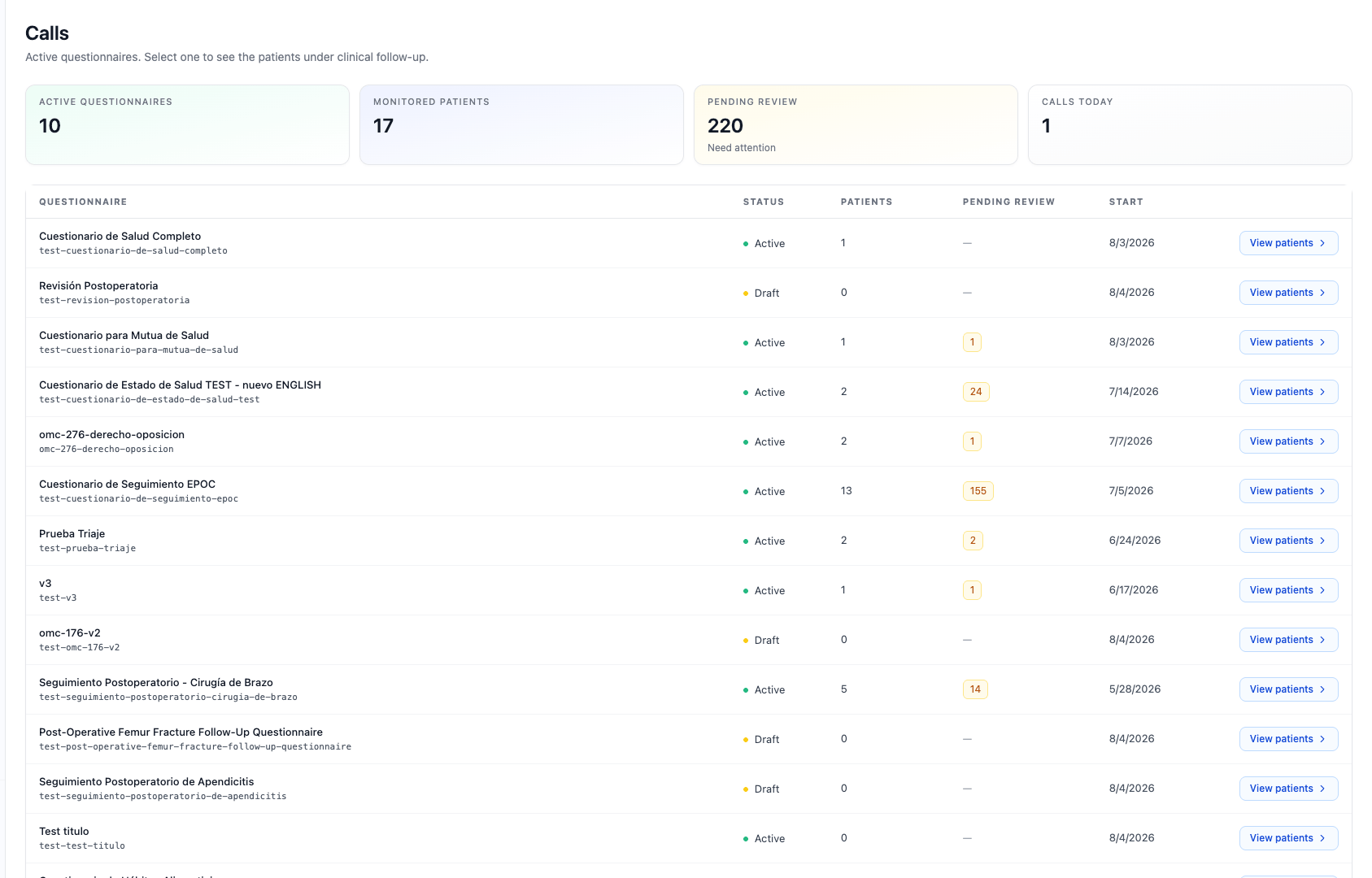 ## Calls for the protocol
Within a protocol you see all its calls, with their status and direction (inbound triage or outbound follow-up), and you can open the detail of each one.
## Calls for the protocol
Within a protocol you see all its calls, with their status and direction (inbound triage or outbound follow-up), and you can open the detail of each one.
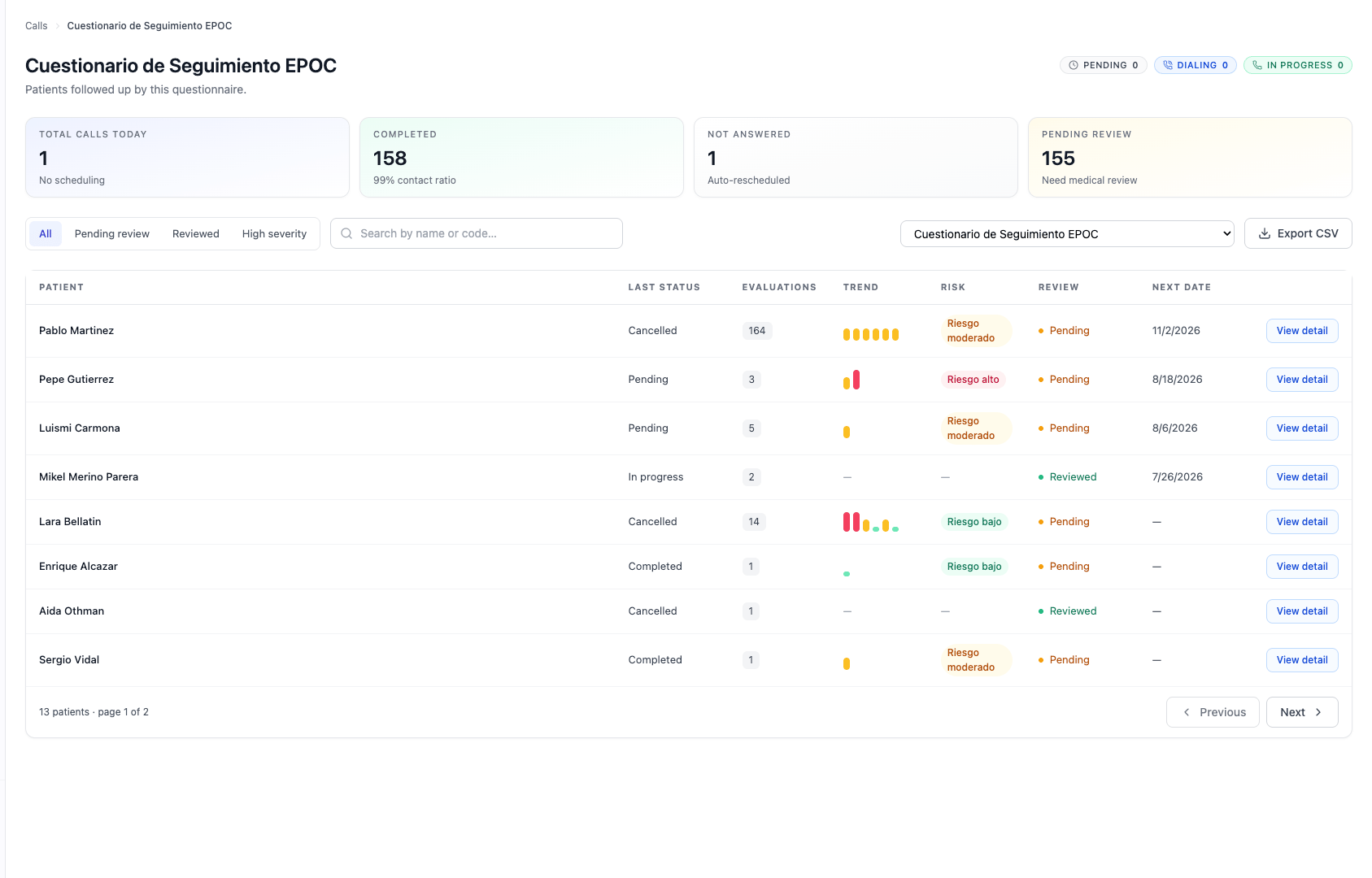 Each call shows its **status** (pending, in progress, completed, no answer, transferred…) and its **direction**. From the detail you reach the transcript, the questionnaire answers, the score, and the recording (if available).
See also [Risk and scoring](/olivia/en/riesgo) and, for API access, [Results](/olivia/en/api/resultados).
Each call shows its **status** (pending, in progress, completed, no answer, transferred…) and its **direction**. From the detail you reach the transcript, the questionnaire answers, the score, and the recording (if available).
See also [Risk and scoring](/olivia/en/riesgo) and, for API access, [Results](/olivia/en/api/resultados).